
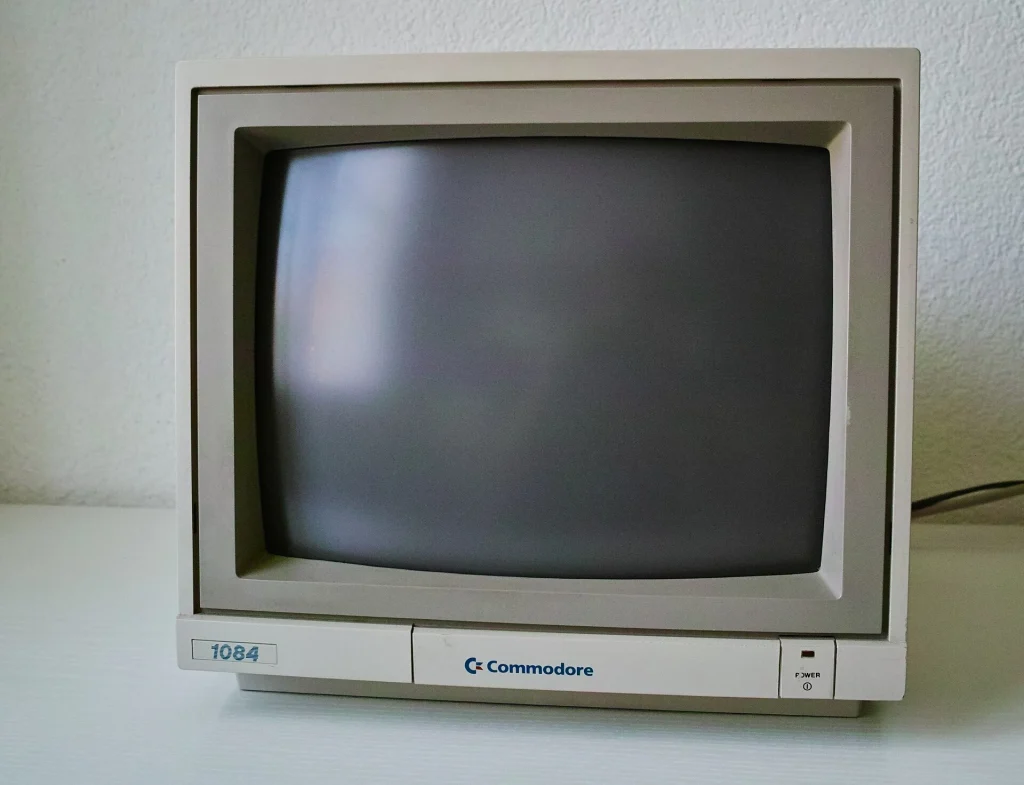
A consumer CRT television is the easy way into retro gaming, but a proper monitor is a step up. Professional video monitors show console graphics with remarkable clarity, and a good PC monitor is the right display for old computers. Prices have risen as supply shrinks, so it pays to know which type suits what you play.
What to Look For
- Inputs match your gear: RGB or component for consoles, VGA for PCs, composite or S-Video as a fallback
- Picture is bright and evenly focused, with no dim, blurry or washed-out look
- Geometry is straight, with no bowing at the edges or tilted image
- No screen burn, deep scratches or color patches that remain after degaussing
- Seller will pack it properly or allow local pickup
Popular Models Worth Seeking Out
Each of these types suits a different job, so match the monitor to your hardware first.
- Sony PVM series (PVM-14M2U, PVM-20M2U) — professional monitors with RGB input and a very sharp picture. The favorite for consoles.
- Sony BVM and JVC TM-H series — broadcast-grade alternatives. JVC models are often cheaper than Sony for similar quality.
- Commodore 1084 and 1084S — a versatile 14-inch monitor with RGB and composite inputs, ideal for Amiga, C64 and many consoles.
- Late VGA PC monitors (Sony Trinitron, Mitsubishi Diamondtron, and Dell or HP 17 to 19-inch models) — the right choice for DOS and Windows 98 gaming.
Our Pick: A Tested 14-Inch RGB Monitor
A 14-inch professional or computer monitor with RGB input is the practical choice. It is small enough to ship and to fit on a desk, cheaper than the 20-inch models, and its fine picture tube flatters low-resolution games.
THE VERDICT
- Inputs: RGB plus composite
- Tube: Bright, good focus
- Geometry: Straight
- Tested: With a live signal
Best for: retro gamers and vintage computer owners who want a sharp, authentic picture without paying top broadcast-monitor prices.
Pros & Cons
Pros
- Sharper and more accurate than a consumer television
- No added input lag, and correct handling of old video signals
- Multiple inputs on most professional models
Cons
- Prices for Sony PVMs have risen steeply
- Fragile and heavy to ship, with tubes that cannot be replaced
Common Problems to Watch For
- Worn tube — a dim or soft picture after tens of thousands of hours in studio or hospital use. Ask about hours where the menu shows them.
- Convergence errors — red, green and blue do not line up, leaving colored fringes on white lines.
- Aged capacitors — cause wobble, a shrunken picture or failure to start.
- Screen burn — fixed images from medical or security use can be permanently etched into the phosphor.
- Shipping damage — a cracked tube neck or broken case is the most common way these monitors die.
How Much Should You Expect to Pay
- $40–$120: Working 15 to 19-inch VGA PC monitors
- $100–$250: Commodore 1084-class monitors and smaller JVC or Panasonic professional models
- $250–$500: Sony PVM 14-inch models in good condition
- $500+: 20-inch PVMs, BVMs and high-end PC monitors
Quick Questions, Answered
Is a PVM really better than a normal CRT television?
It is sharper and takes RGB directly, but a good consumer set with component or S-Video input gets close for much less money.
Can I plug a console straight into a PC monitor?
Usually not. Most consoles output 15kHz video and VGA monitors expect 31kHz, so you need a scaler or line doubler in between.
Are CRTs dangerous to work on?
Inside, yes. The tube can hold a high-voltage charge long after it is unplugged, so leave internal repairs to someone experienced.
Buy locally if you possibly can. Seeing the picture with your own console connected tells you everything, and it removes the shipping risk altogether.