
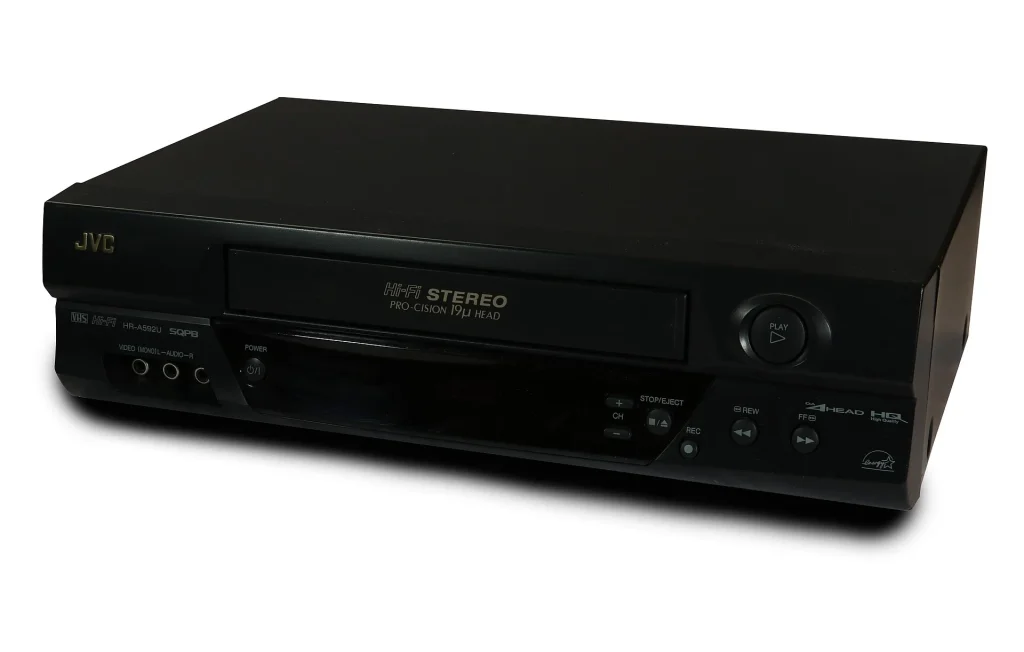
Millions of home videos are still sitting on VHS, and the last VCRs were made in 2016. A good used deck is now the only way to watch or rescue those tapes. Plenty still work, but worn heads and tired rubber are common, so a tested machine is worth paying for.
What to Look For
- Seller shows it playing a tape with a clear, stable picture
- Loads, ejects, rewinds and fast-forwards without hesitation or odd noises
- Hi-Fi stereo audio, marked on the front panel, for much better sound
- Outputs you can use: composite video and stereo RCA at minimum, S-Video on S-VHS decks
- Remote control is included, since some settings can only be reached from the remote
Popular Models Worth Seeking Out
Later decks from the main Japanese makers are the safest buys, and a few lines stand out.
- JVC HR-S series S-VHS decks (HR-S7600, HR-S9600 and similar) — the standard choice for digitizing, with built-in picture stabilizing circuits.
- Panasonic AG-1970 and AG-1980 — semi-professional decks prized for transfers. Excellent, but often in need of service.
- Panasonic PV series 4-head Hi-Fi decks — sturdy, common and good for everyday viewing.
- Sony SLV series — well made, with good picture quality and smooth transports.
Our Pick: A Tested 4-Head Hi-Fi VCR with Remote
For watching tapes and making simple transfers, a clean 4-head Hi-Fi deck from the late 1990s or early 2000s is all you need. These later machines usually have fewer hours on them than 1980s models.
THE VERDICT
- Heads: 4-head, clean picture
- Audio: Hi-Fi stereo
- Transport: All functions tested
- Remote: Included
Best for: anyone with a box of family tapes to watch or digitize who wants a dependable deck and not a gamble.
Pros & Cons
Pros
- Inexpensive and still easy to find
- Plays the tapes you already own with no conversion needed
- Connects to a capture device for digitizing
Cons
- No new machines are made, so every purchase is used
- Worn heads cannot be economically replaced on most models
Common Problems to Watch For
- Dirty or worn video heads — a snowy picture or bands of noise. Cleaning helps; wear does not improve.
- Perished belts and idler tires — failure to load, play or rewind properly.
- Tape eating — worn pinch rollers or a faulty take-up reel crumple the tape. Always test with a tape you do not care about.
- Failed power supply capacitors — the deck is dead or shuts down after a few seconds.
- Mold transferred from tapes — a moldy tape contaminates the heads and then every tape played afterwards.
How Much Should You Expect to Pay
- $20–$50: Untested or basic mono decks
- $50–$120: Tested 4-head Hi-Fi decks with remote
- $120–$300: S-VHS decks in working order
- $300+: Serviced JVC and Panasonic decks sold for digitizing
Keeping a VCR Healthy
- Inspect tapes for white mold through the window before loading them
- Rewind tapes fully and store them upright in their sleeves
- Keep the deck covered or in a cabinet to limit dust on the heads
Quick Questions, Answered
How do I connect a VCR to a modern TV?
Use the yellow, red and white RCA outputs if your TV has matching inputs. If it only has HDMI, an inexpensive composite-to-HDMI converter does the job.
Do I need S-VHS to digitize ordinary VHS tapes?
No, but S-VHS decks usually have better electronics and an S-Video output, which gives a cleaner transfer.
Are VCR and DVD combo units any good?
They are convenient and often newer, but their tape sections are basic. Fine for viewing, less suited to careful transfers.
Play a commercial movie tape first when your VCR arrives. If a store-bought tape looks clean and steady, any problems you see later are in your home recordings and not the machine.