
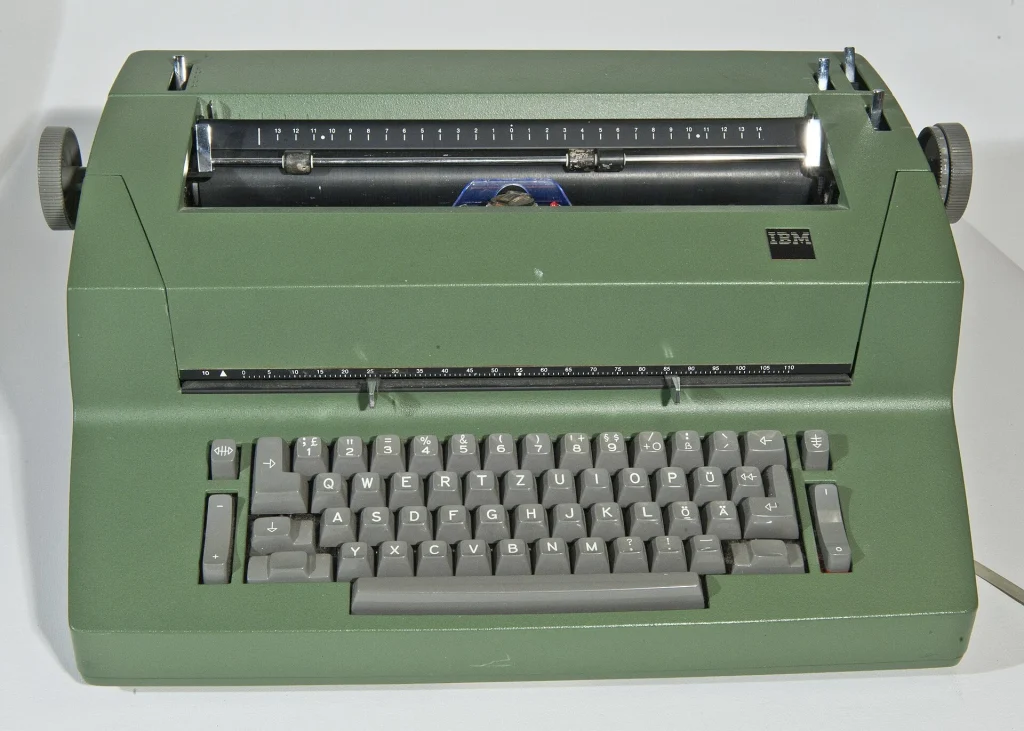
An electric typewriter does the hard work for you: a light tap on the key and the machine prints with perfectly even force. The IBM Selectric, with its spinning type ball, set the standard for offices for a quarter of a century. Electrics are more complex than manual machines, so condition and service history matter even more.
What to Look For
- Powers on, and the motor runs smoothly without grinding or squealing
- Every key prints, and the return, tab, backspace and shift all work
- Type element or typebars are complete, with no broken characters
- Ribbon type is still available, and a ribbon is fitted
- Power cord is sound, with no cracked insulation
Popular Models Worth Seeking Out
The Selectric is the famous one, but simpler electrics are easier to live with.
- IBM Selectric I, II and III — the type-ball machines. Superb print and a wonderful feel, but heavy and in need of specialist service.
- IBM Correcting Selectric II — adds a lift-off correction tape. The most practical Selectric for real writing.
- Smith-Corona electric portables (Electra, Coronet, Coronamatic) — conventional typebars driven by a motor. Much lighter and simpler.
- Olivetti Praxis 48 — a 1960s design classic that is as much sculpture as typewriter.
- 1980s daisy wheel typewriters from Brother and Smith-Corona — cheap, light and still easy to find ribbons for.
Our Pick: A Serviced IBM Selectric II
If you want the best typing experience an electric offers, buy a Selectric that a specialist has already cleaned and lubricated. An unserviced one is a project; a serviced one is a joy.
THE VERDICT
- Motor: Running smoothly
- Keys: All printing
- Element: Included and undamaged
- Service: Cleaned and lubricated
Best for: writers who type a lot and want crisp, even print with a light touch.
Pros & Cons
Pros
- Crisp, even print at high speed
- Interchangeable type elements give you different typefaces
- A very light touch that is easy on the hands
Cons
- Very heavy, so shipping is expensive and risky
- A complex mechanism that needs a specialist when it goes wrong
Common Problems to Watch For
- Hardened grease — the most common Selectric fault. Old lubricant stiffens, so keys print the wrong character or nothing at all.
- Broken drive belt — the motor runs but nothing moves.
- Damaged type element — broken teeth on the bottom or a cracked top make characters misprint.
- Snapped tapes or cords — the element stops turning to the right letter, or the carrier will not return.
- Dried ribbon — faint print. Replace the ribbon before assuming anything worse.
How Much Should You Expect to Pay
- $50–$120: Untested Selectrics and electric portables
- $80–$200: Working Smith-Corona and daisy wheel machines
- $300–$600: Serviced IBM Selectrics
- $600+: Fully refurbished Selectrics and rare colors
Quick Questions, Answered
Can I still get ribbons and type elements?
Yes. New ribbons are made for the Selectric and most popular electrics, and used type elements are plentiful.
What is the difference between the Selectric I, II and III?
The original appeared in 1961. The II arrived in 1971 with a squarer case and the option of two letter spacings and correction. The III of 1980 uses a larger 96-character element.
Is a Selectric a good first typewriter?
Only if it has been serviced. Otherwise a manual machine is simpler and cheaper to keep running.
Ask for a video of the machine typing a full sentence with capitals and numbers. A Selectric that prints every character correctly on video is worth far more than one described as powering on.